



Less rebuilding.More informed decisions.
Compare costs. Price a strategy. Follow the funding. Explore the engines behind your affordable housing proforma.
What takes your team hours to check?
Choose a task to see what the Console can help you do.
Compare costs before you commit
Spend less time building a comparison spreadsheet.
Compare your budget and operating expenses with filed California CTCAC projects, down to individual cost lines. See the median and the number of comparable projects behind it. On supported operating-expense lines, choose Use to bring in the median, with Undo available.
- Choose the comparison set
- Inspect line-by-line differences
- Apply supported expense medians
Model when the money actually moves
Connect the draw schedule to the cost of financing.
Place construction uses and funding arrivals on a monthly timeline. The model draws the loan for the remaining need, calculates interest on the balance and carries that interest into the budget. Change equity pay-in timing and inspect the effect on the financing need.
- Set sources, uses and timing
- Calculate monthly draws and interest
- Review the reserve and funding gap
Price the strategy, then decide
See the financial trade-off behind a proposed change.
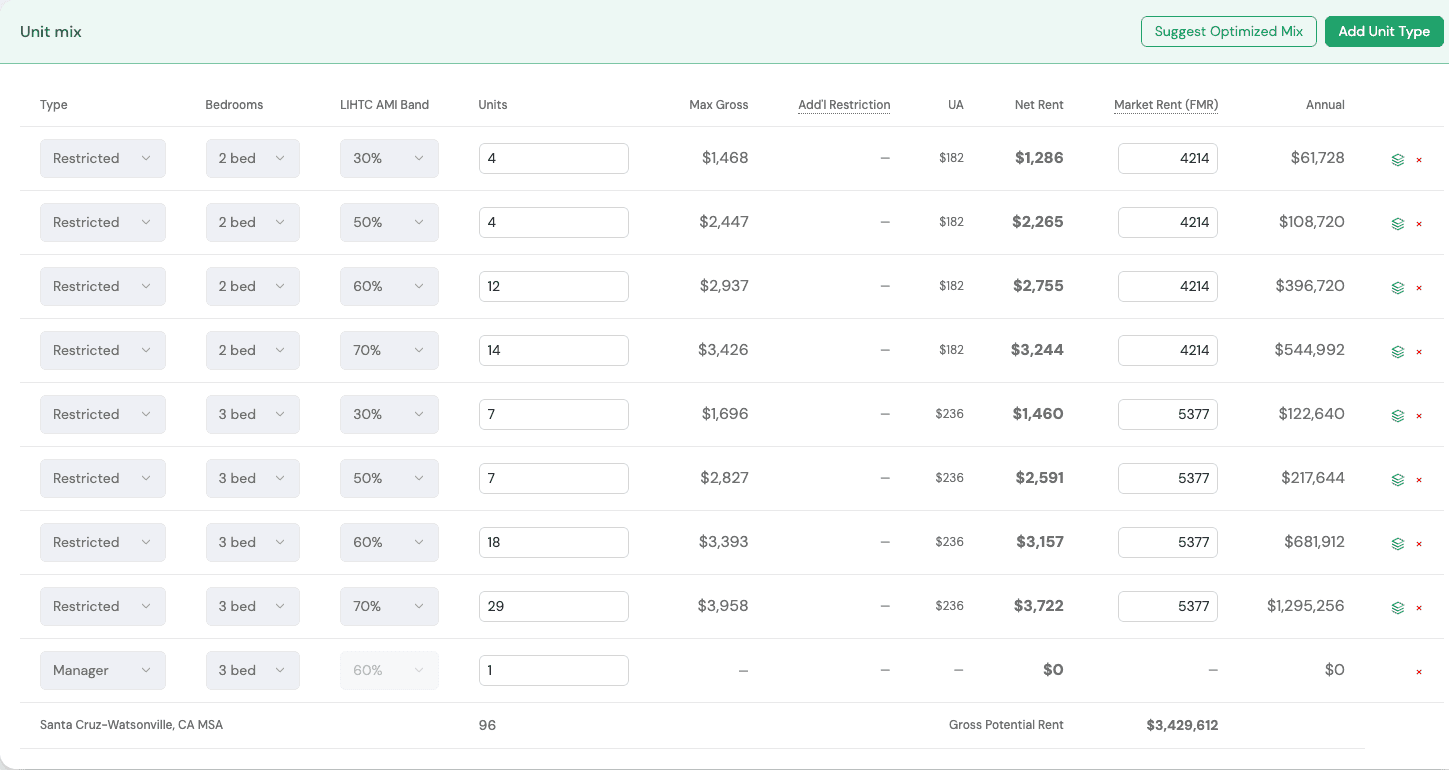
Operating improvements are evaluated by running the full model again. California scoring strategies compare prevailing-wage choices and resident-services budgets alongside their financial effects. The Unit Mixer explores unit counts, AMI elections and funding structures under your selected objectives.
- Choose a change to evaluate
- Re-run costs, debt and the gap
- Review scoring and rule checks
Put the score beside actual awards
Separate a competitive-looking score from a published funding outcome.
For supported California pools and rounds, compare your scoring position with filed applications and published award lists. See how many applied, how many were funded, and the lowest funded points and tie-breaker reported on the list. State Funding also organizes applications received and awards by available round.
- Choose the relevant pool or round
- Compare applications with awards
- Inspect published score thresholds
Carry the model into investor schedules
Review deductions, credit delivery and reserves beside the project model.
Work from the completed run to build depreciation and amortization schedules, annual tax-credit delivery with lease-up assumptions, and reserve-account schedules. Review deposits, interest, spending cycles and lender-held balances with the supporting checks and rule explanations.
- Complete dates and investor assumptions
- Build the annual schedules
- Review missing inputs and reconciliations
Prepare the ownership conversation
Bring a more focused brief to your legal and tax advisers.
Answer the ownership questions to explore a suggested structure, applicable tests, property-tax considerations and formation steps. Build a counsel brief with the reviewed source material in the same Deal workspace.
- Select the state and credit type
- Answer the structure questions
- Prepare a brief for counsel
Then carry the numbers into the application.
A finalized model should be the beginning of your application, not another re-entry task.
Finalize the run
Review the unit mix, costs, financing and unresolved assumptions with your team.
Populate mapped fields
See how mapped financial values move from the saved Proforma into the linked application for review and export.
Review and export
Follow the mapped numbers into the workbook, review the fields and prepare the application handoff.
Watch the handoff →Bring the question slowing your team down.
See how connected research, calculations and application preparation can move your project forward.