
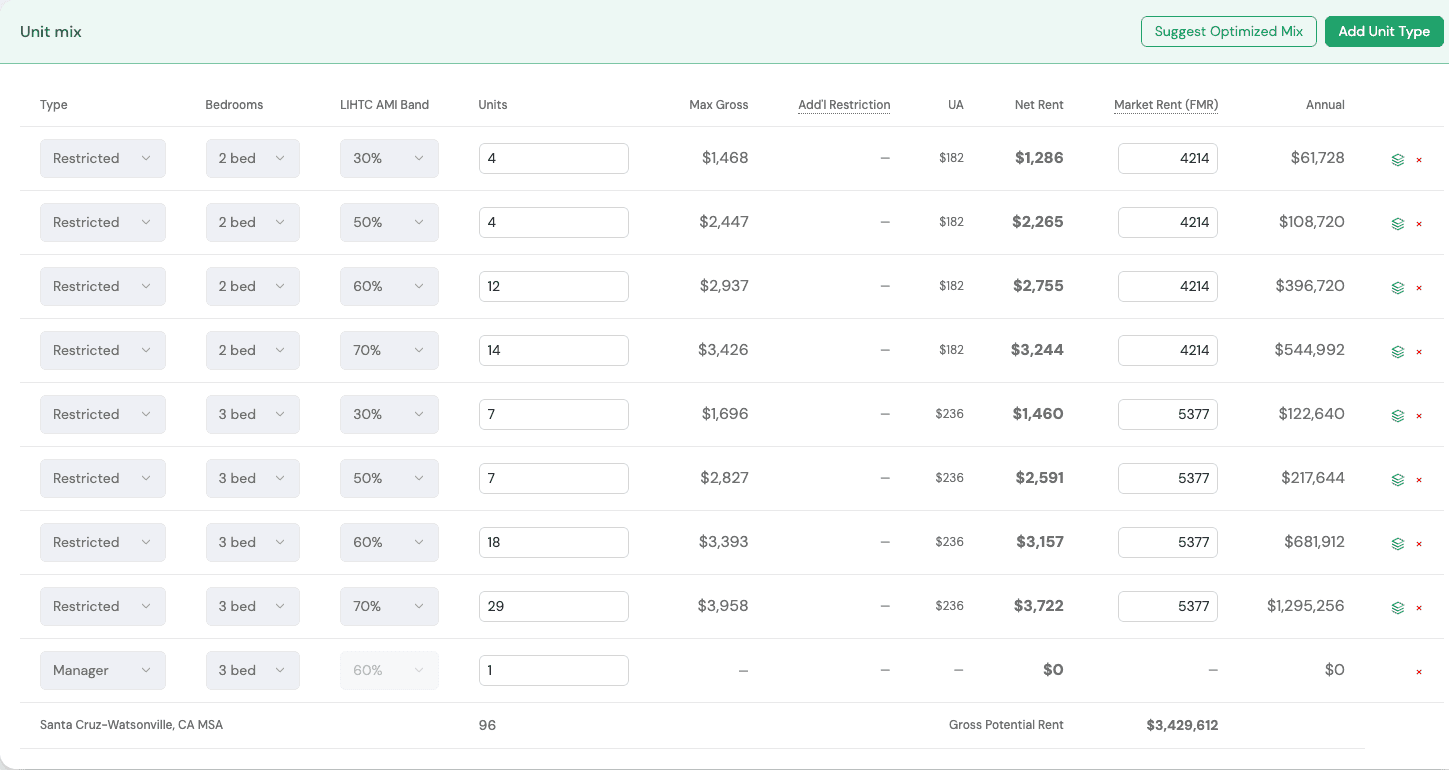



Credible numbers,with the working shown
A client asks how you got a number. EZFeasi shows the formula, the rule it comes from and the filed projects it is measured against, so the answer is in the tool and not in your head.
What consultants use it for
LIHTC Software for Affordable Housing Consultants. Pick a capability to see what it does and where it lives in the Console.
Every formula documented
How the numbers work covers rents, operating costs, debt, reserves, soft debt, credits, the funding gap, scenarios, the outlook, the basis boost and data provenance. Each section has the formulas, the citations and worked examples.
Benchmark against filed applications
The Hard costs comparison and the new-project starter draw on filed California CTCAC 4% applications. The Applications Matrix and Awards Matrix give you published application records and awarded projects by state.
See what a better structure is worth
EZOptimizer re-underwrote 461 filed California 4% applications through the same engine and found improvements in 70, with no score lowered in any. Use the method on your own client's deal.
State guidance in one place
Per-state scoring rubrics and underwriting parameters from each QAP, a funding catalog of more than 100 state programs, and bond ceilings for the states where we could cite one.
Scenarios that answer the next question
Credit price and interest rate sensitivity, a funding gap waterfall, AMI mix comparisons under the set-aside constraint, and cost what-ifs measured against historical awards.
Application readiness
Each application set is checked against its program's checklist. California 4% deals populate the CTCAC workbook straight from the saved proforma.
Hybrid and special structures
Hybrid 9%/4% developments, ground leases with four rent structures, CalHFA MIP eligibility and density bonus entitlements are modeled, not left to a side spreadsheet.
Work with the client's team
Share a portfolio with a partner, request documents and chat in the Contacts workspace, and keep funder deadlines on the deal itself.
A typical engagement
- 1
Scope
Pick the state, program and project type, then pull the rule set.
- 2
Benchmark
Compare the client's budget with filed projects.
- 3
Model
Build the proforma and test scenarios with the client.
- 4
Explain
Open the formula behind any figure the client questions.
- 5
File
Populate the application and track the deadlines.
See the working behind the numbers
Book a walkthrough and bring a client deal you already know well.
Also for developers, syndicators, and investors & lenders.