
THE PROFORMA / SITE FEASIBILITY
One connected model.
Less work between steps.
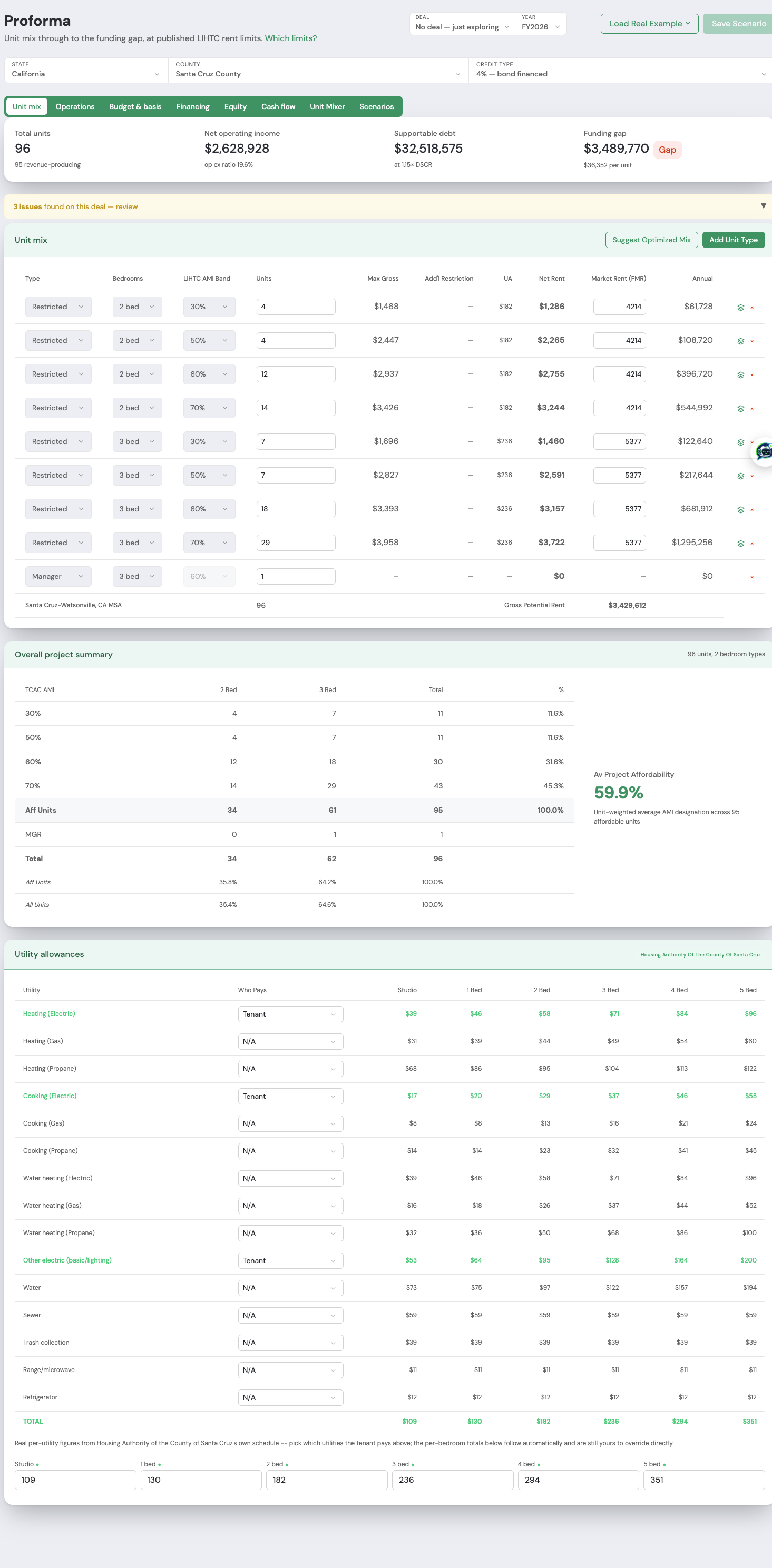
Build your unit mix once. Follow rent into operating income, size debt against the model’s constraints, and carry mapped values into a supported application when your proforma is finalized.
Explore this featureGross rent less utility allowance feeds the operating model.
Compare DSCR, loan-to-cost, and loan-to-value constraints. Review the resulting payment and balloon.
Actual controls from a potential project proforma. Review inputs for your jurisdiction.
Build a mix around the project you are evaluating.
Carry rent assumptions into operations and financing.
Transfer mapped values to the supported CTCAC 4% template; review and complete remaining fields.
PARCEL SEARCH ENGINE
Find the opportunity.
See the signals.
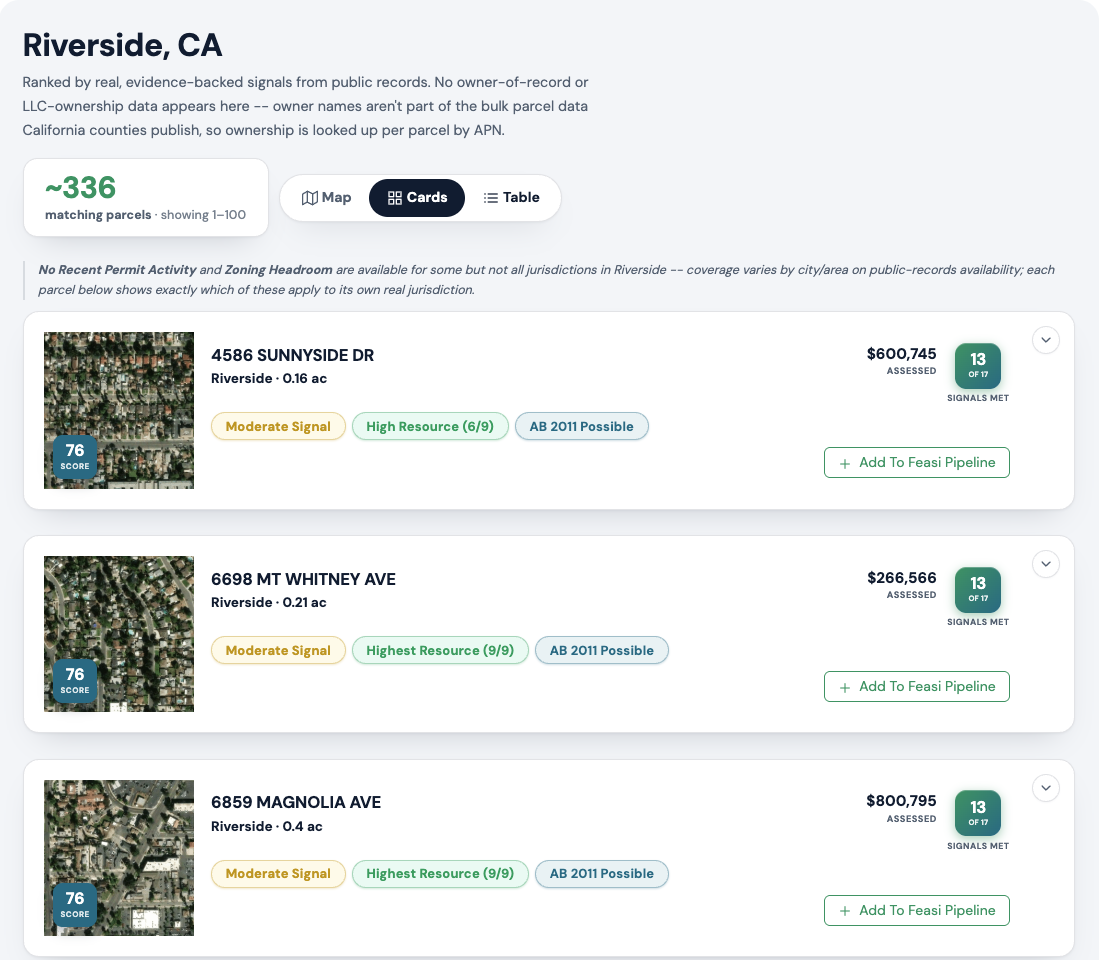
Bring public-record site signals into focus. Review a parcel’s location, resource indicators, and assessed value before deciding what deserves a closer look.
Explore this featureKeep the parcel image, address, and screening signals together.
Review the evidence, then add the parcel to your feasibility pipeline.
Live product example from Riverside County. Parcel search currently covers Riverside and San Diego Counties, California.
Explore parcels beyond traditional listings.
Check which public-record signals apply to the site.
Bring promising parcels into your project workflow.
UNIT MIXER / SUBSIDY STACK OPTIMIZER
Find a better mix.
Protect what matters.
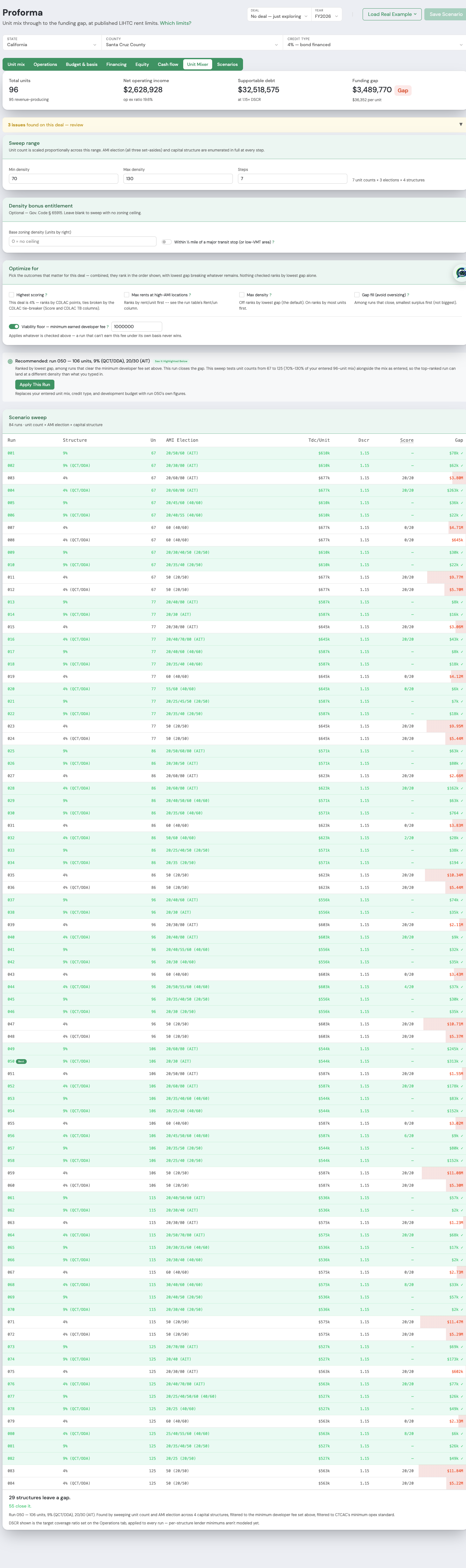
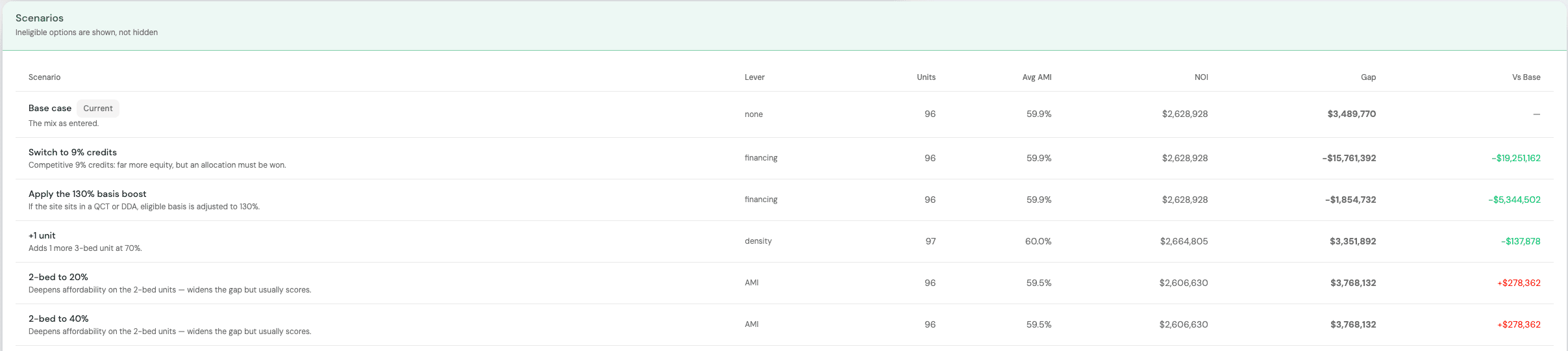
Explore unit counts and financing structures without rebuilding your model. Set the sweep range, protect your minimum earned developer fee, and compare the possibilities.
Explore this featureThis example tests 70%–130% of the entered unit mix.
This example sets a $1,000,000 minimum earned developer fee. A run that cannot earn it cannot win.
Actual controls from a potential project proforma. Agency scoring depends on the supported program.
Evaluate unit counts, AMI elections, and capital structures.
Review the funding gap alongside your priorities.
Carry that run’s figures back into your proforma.
PORTFOLIO & PIPELINE
Keep each opportunity
in the bigger picture.
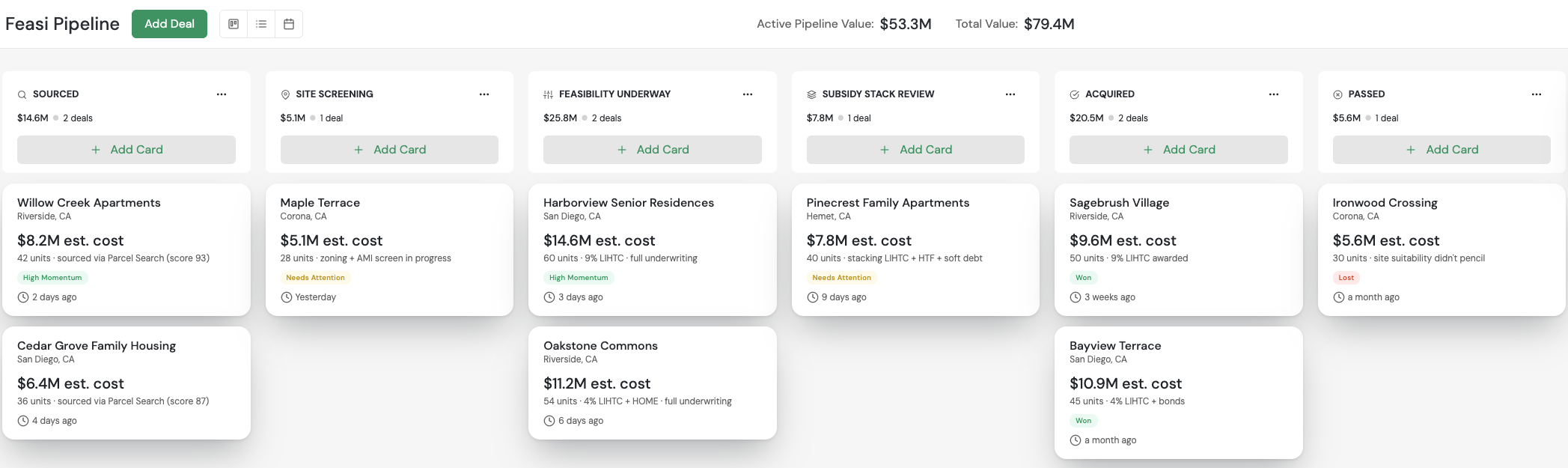
See where projects stand, what needs attention, and which opportunities are moving forward. Keep a consistent view as your pipeline grows.
Explore this featureReview location, estimated cost, unit count, and momentum on the card.
Follow projects through feasibility with their underwriting context attached.
Actual EZFeasi feasibility board with illustrative project cards.
Keep opportunities organized as work progresses.
Carry project details through the development process.
Bring a common underwriting approach to the portfolio.
Build the proforma once.
Put those numbers to work twice.
Once you have reviewed and finalized your proforma, carry its mapped financial data into your application. Spend less time re-entering numbers and more time preparing a strong submission.
Finalize your model
Review the unit mix, budget, financing, and cash flow. Save the scenario to your project.
Populate your application
Link the same project and select Populate from Proforma to bring mapped values into the supported template.
Review and export
Check the transferred fields, complete the remaining application details, and export the workbook for review.
- HUD
- LIHTC
- State QAPs
- IRS § 42
- Housing Finance Agencies
Everything you need in one feasibility model
From first screen to lender-ready package, EZFeasi keeps sites, subsidy stacks, and Parcel Search Engine sourcing in a single guided workflow.


Questions developers ask us
